Rest timing that gets
out of your way

Restcue runs on Apple Watch. It counts your rest between sets, taps your wrist when it's up, and detects when you start lifting again — so you never touch a screen mid-workout.

Free to use · No ads · No account

A look at the app

The preview video and every screen, straight from the App Store listing. Drag sideways for more.

30-second preview
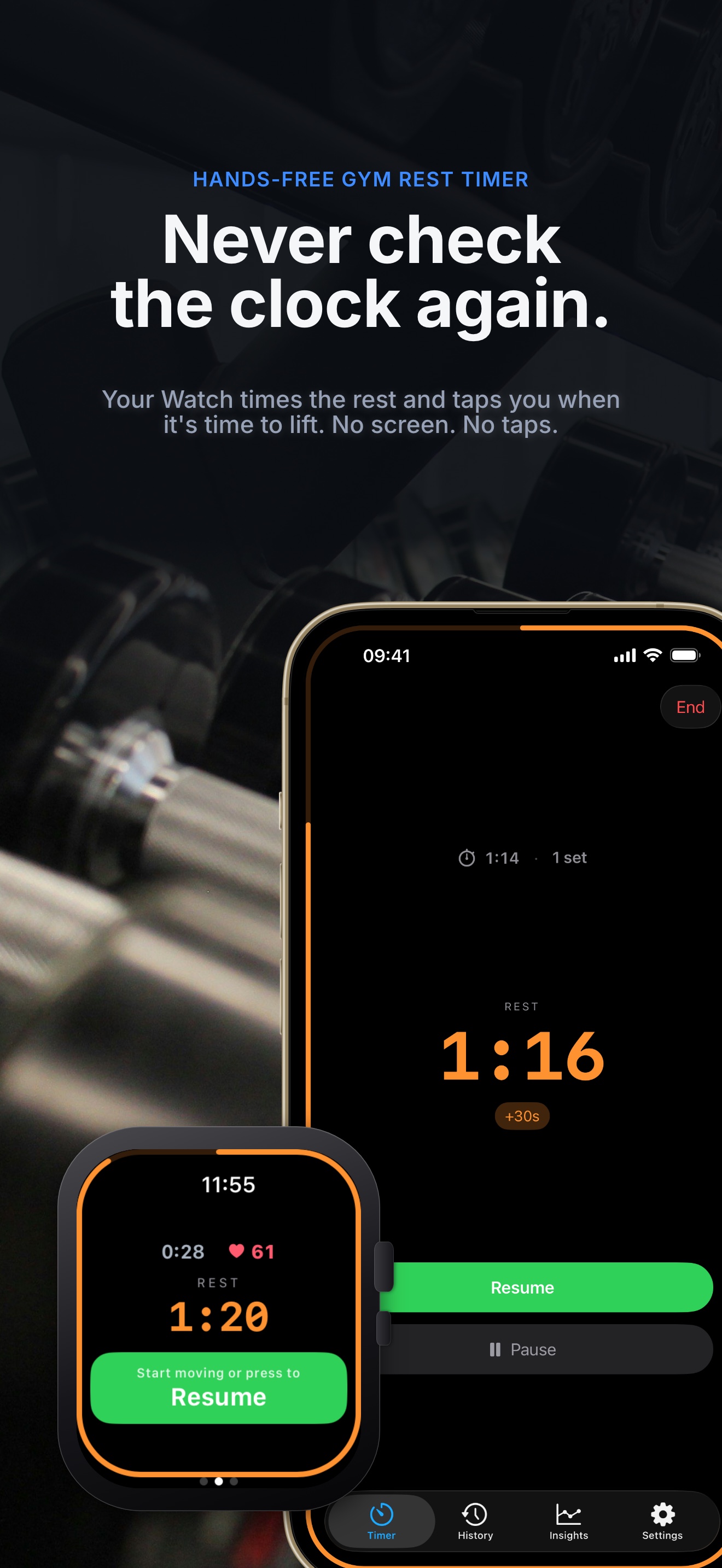
Never check the clock again — your Watch times the rest and taps you when it's time to lift
Rest, timed for you
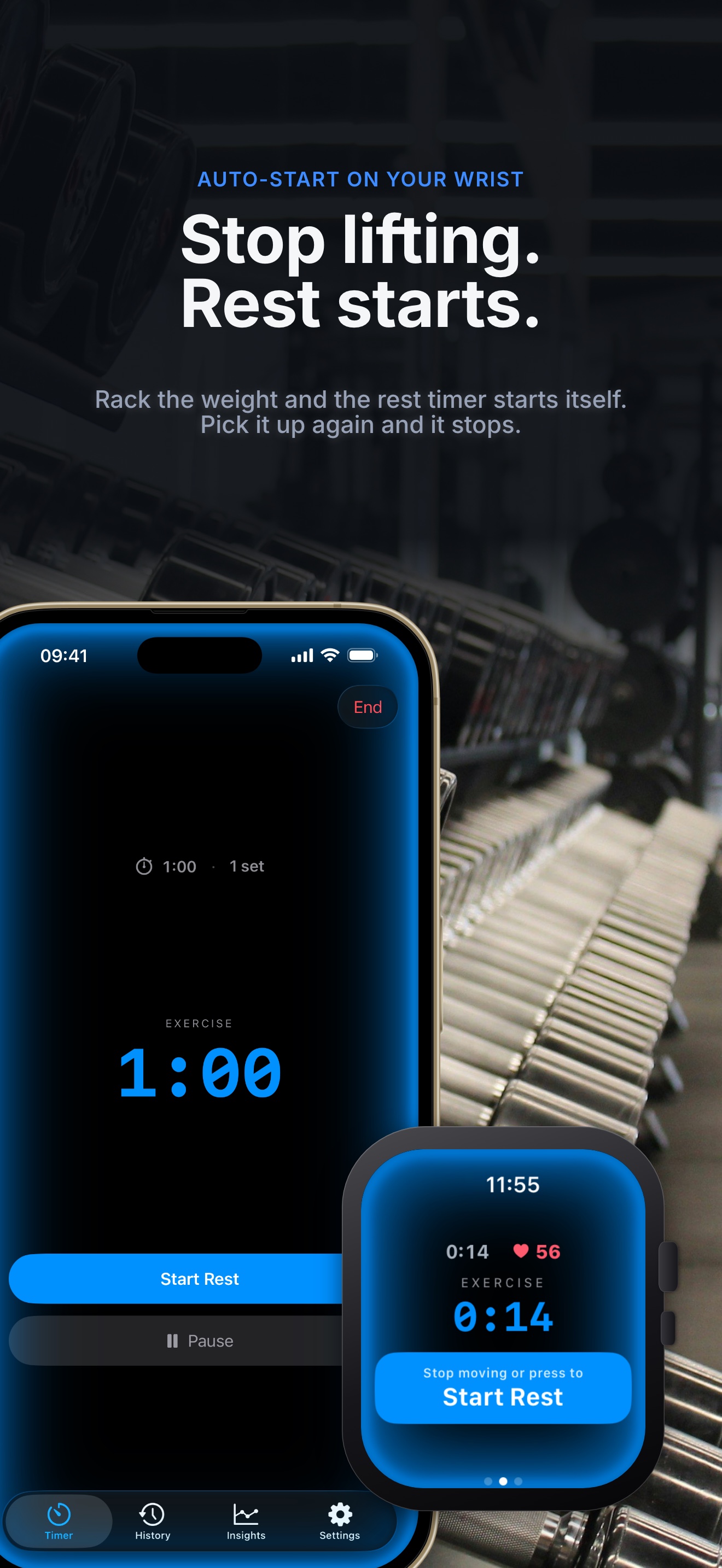
Stop lifting, rest starts — rack the weight and the rest timer starts itself
Rest starts itself
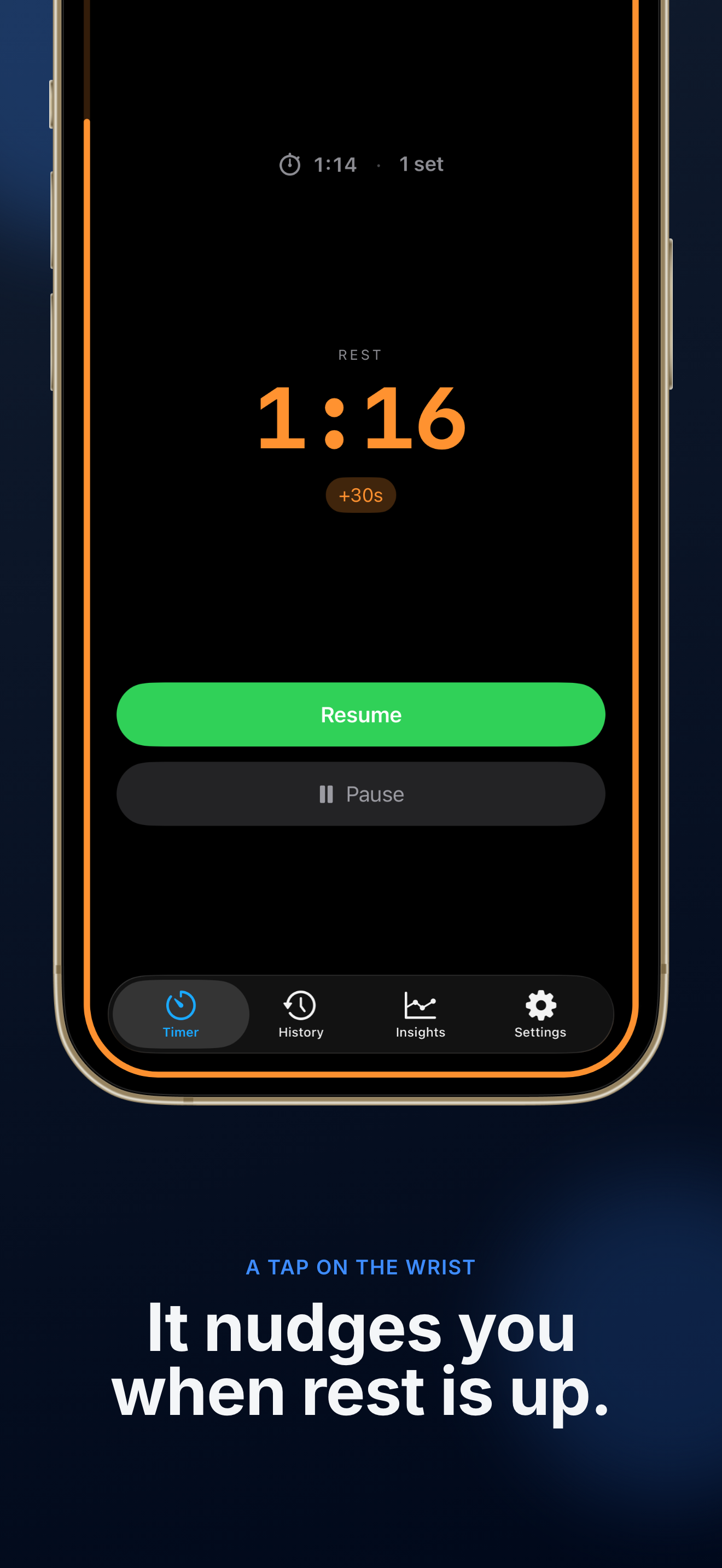
A tap on the wrist — it nudges you when rest is up
A tap when rest is up
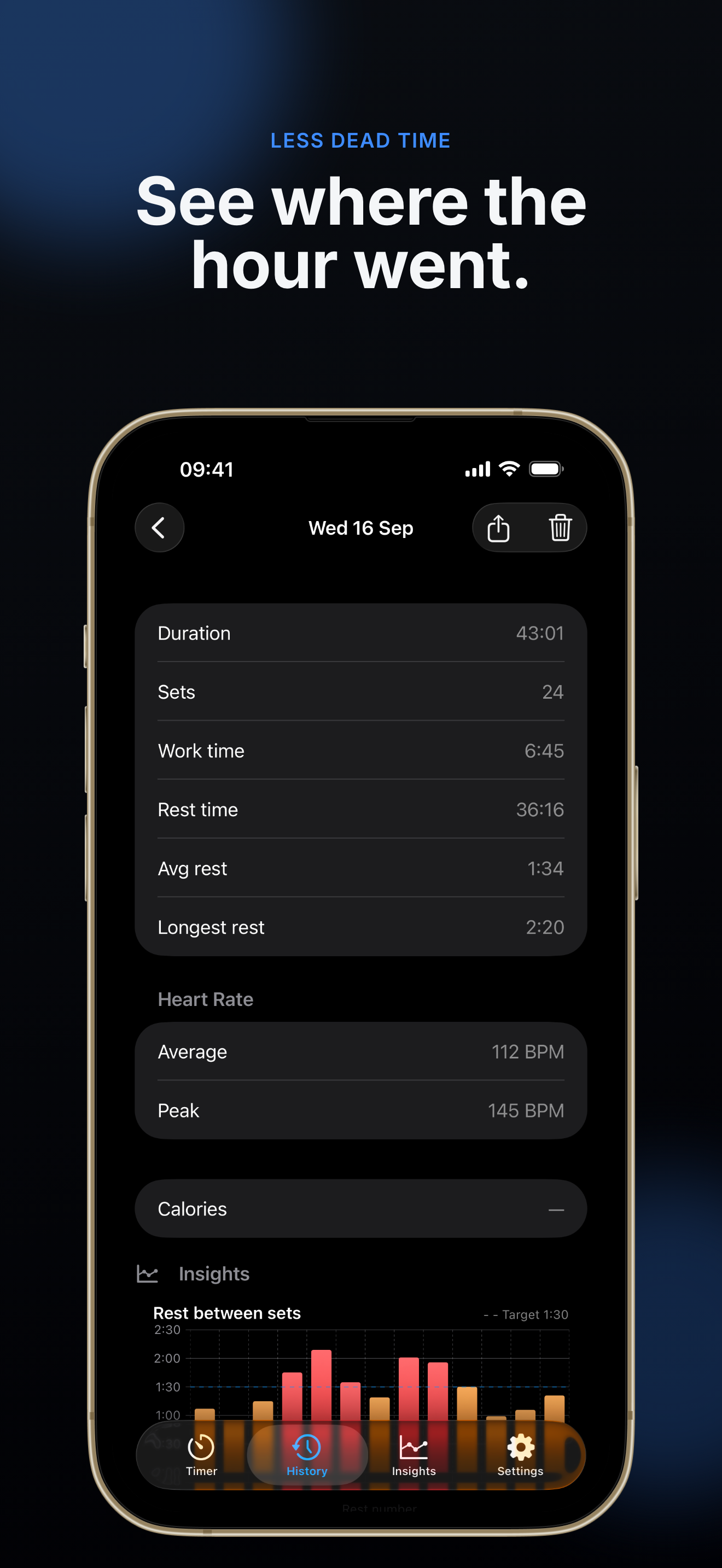
See where the hour went — a session broken down by duration, sets, work time and rest time
See where the hour went
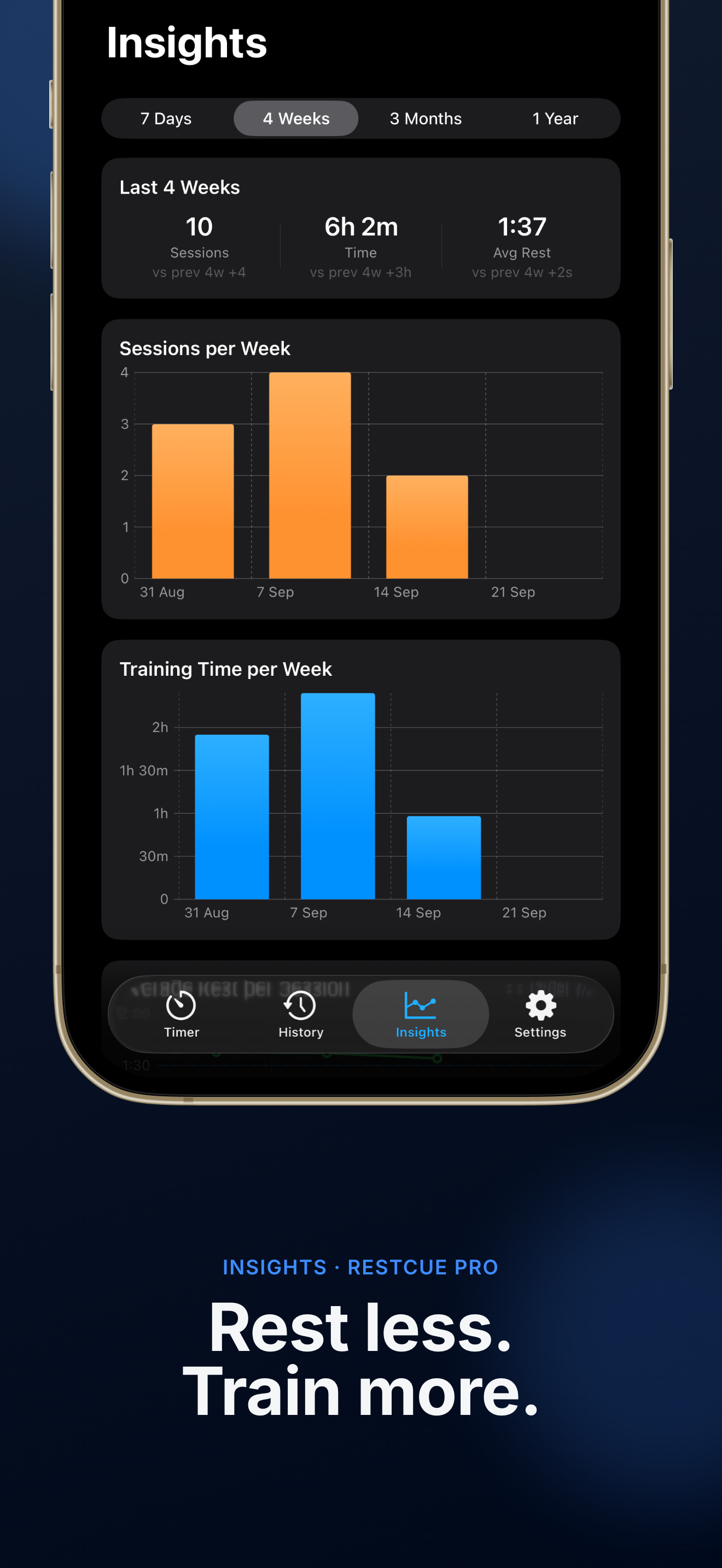
Rest less, train more — Insights charts for sessions and training time per week
Rest less, train more
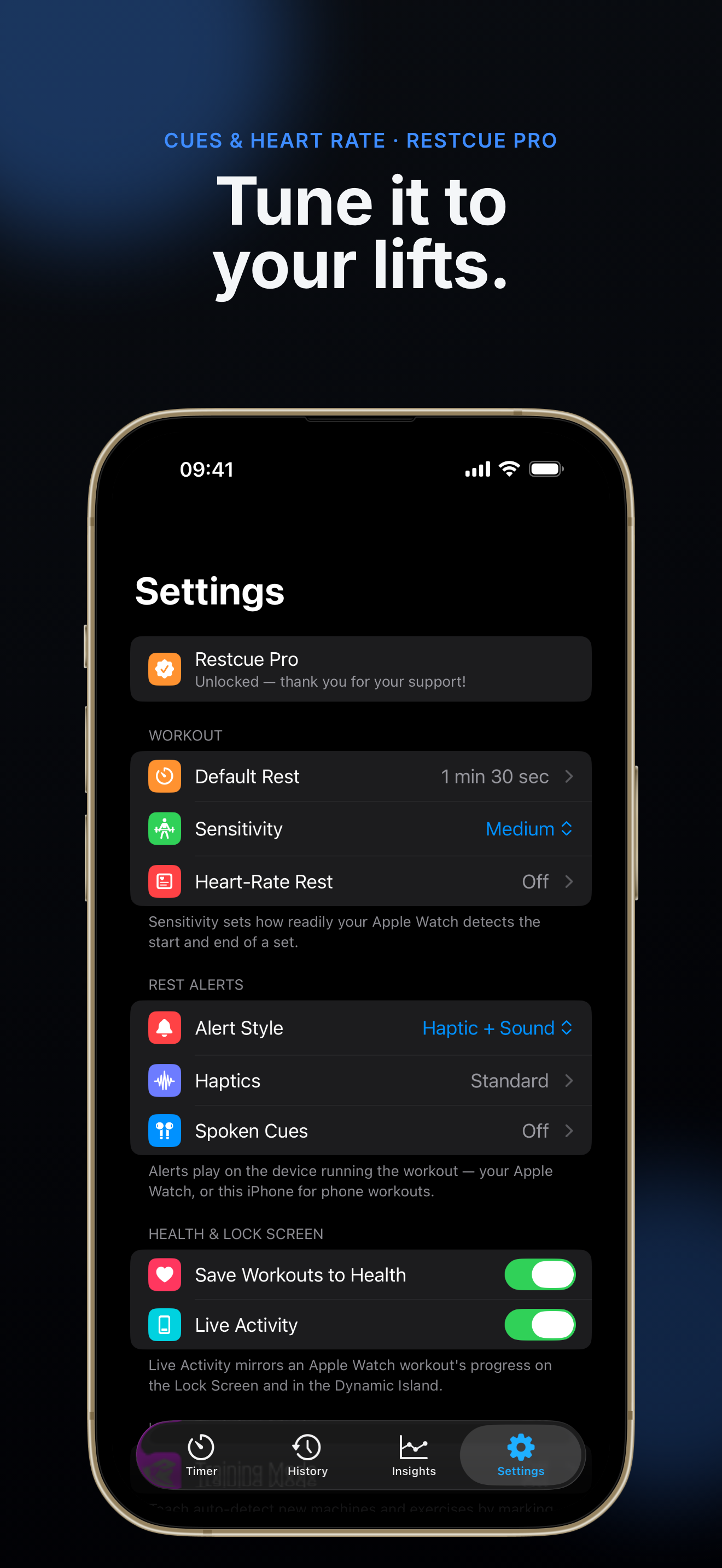
Tune it to your lifts — Restcue's settings for rest, sensitivity, alerts and Health
Tune it to your lifts
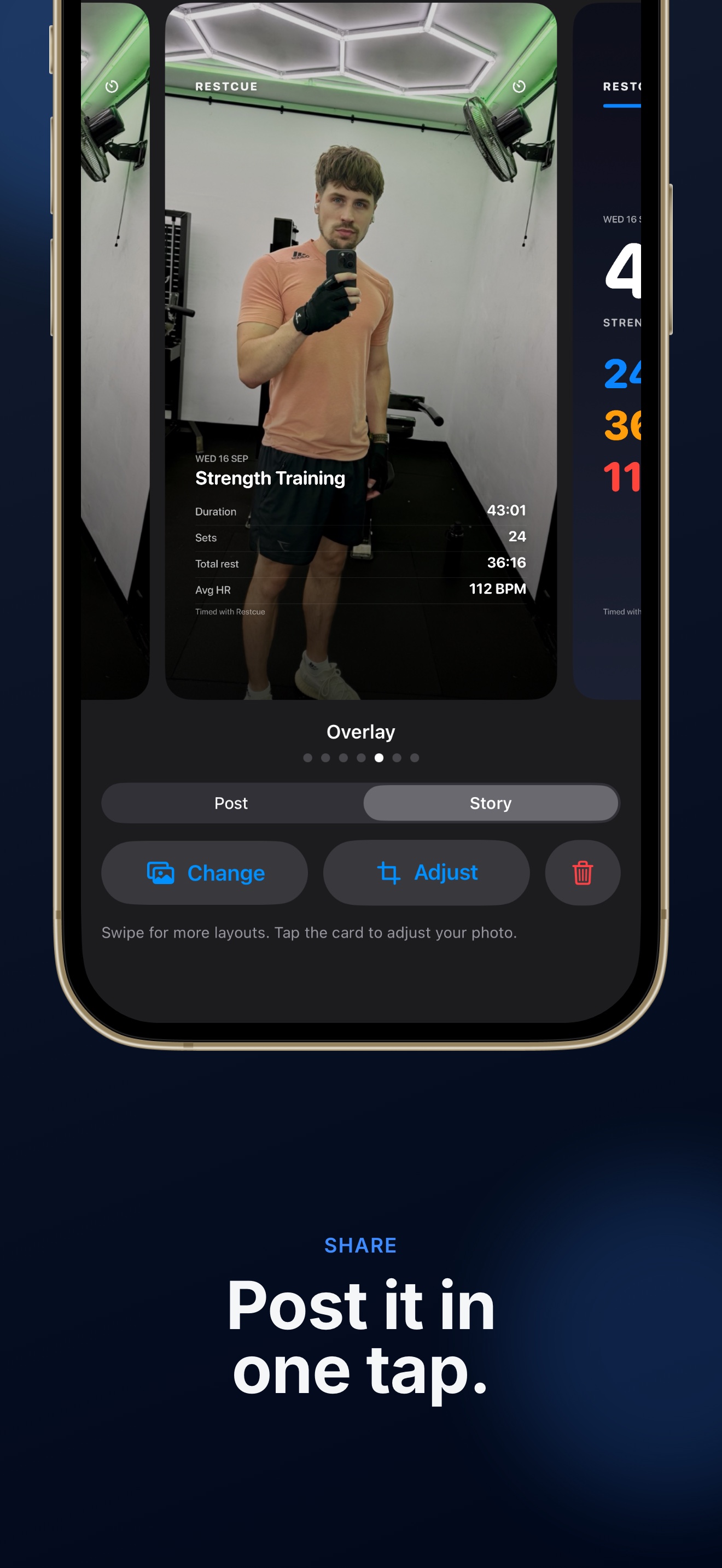
Post it in one tap — the share composer with a photo behind a workout card
Post it in one tap
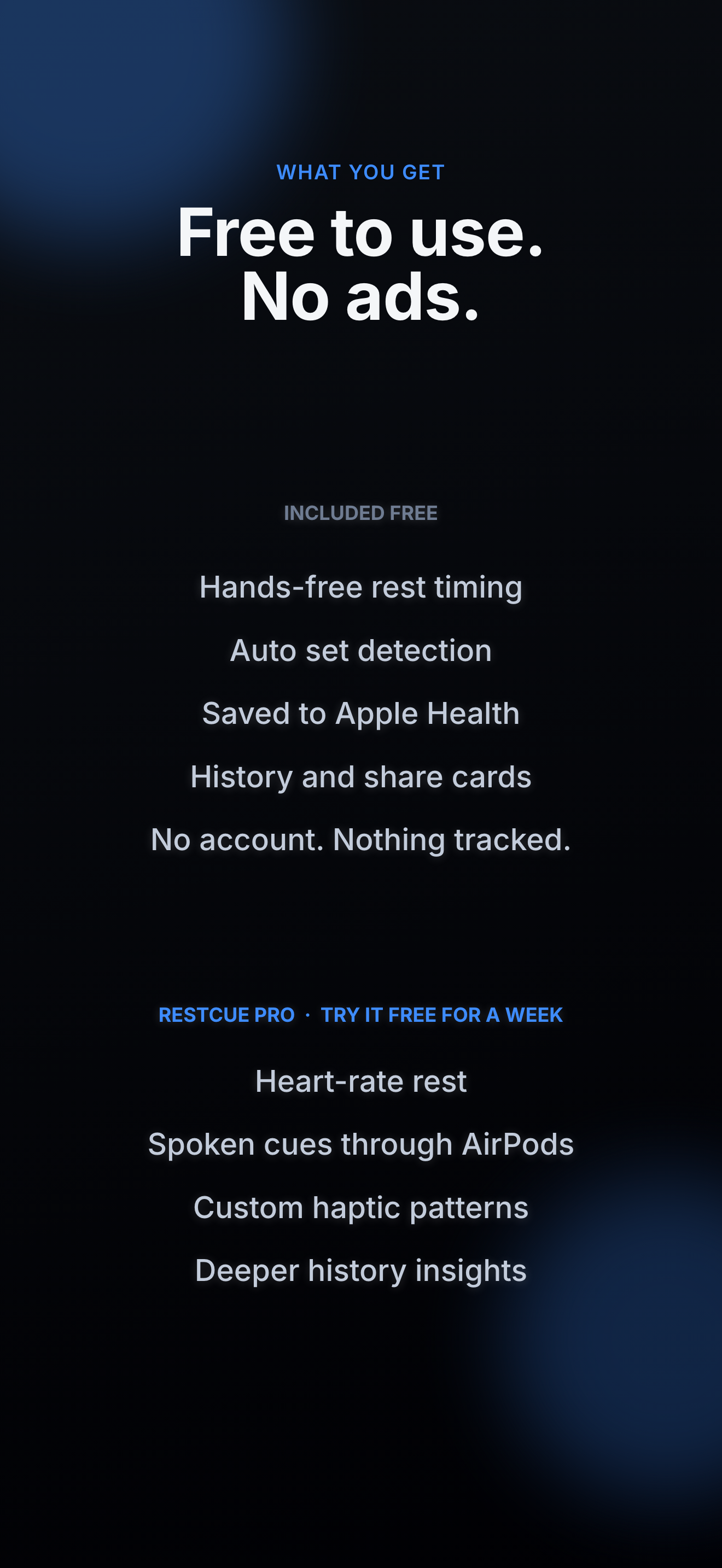
Free to use, no ads — what's included free and what Restcue Pro adds
Free, and Pro

On the wrist

The whole session runs standalone on Apple Watch — the phone never has to come out.

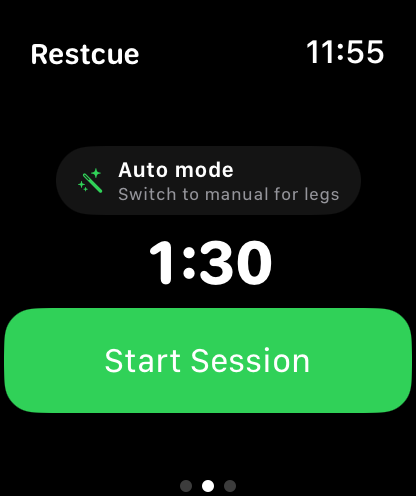
Restcue on Apple Watch, ready to start a session
Ready to start
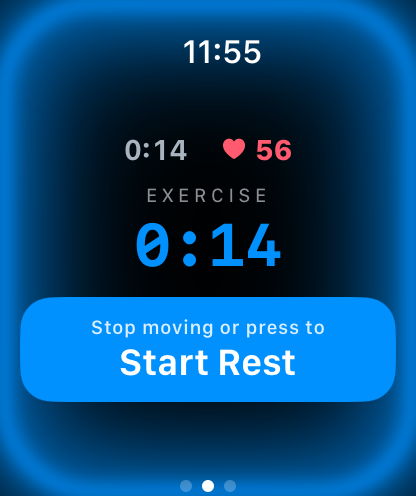
Apple Watch showing a set in progress with a blue glow and live heart rate
Working
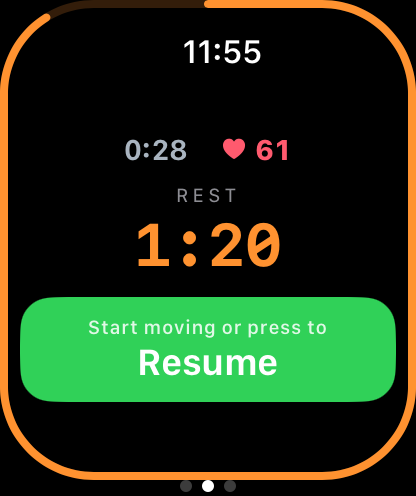
Apple Watch showing a rest countdown that resumes when you start moving
Resting

How it works

Start the session once. Restcue handles every rest after that.

Rack the weight

Restcue notices you've stopped and starts the rest countdown by itself. Prefer control? One tap works too.

Get the nudge

A haptic tap when rest is up, with optional repeat reminders until you're back under the bar.

Just lift

On-device motion and heart rate catch the moment your next set begins, and the timer moves on. No taps.

What it does

Never check the clock again — and see exactly where the hour went.

Hands-free

  • Automatic set detection, on device
  • Sensitivity you can dial up or down
  • Auto or fully manual, switch any time
  • Tap to start, skip or extend a rest
  • Blue working, orange resting, green when rest is up

On your devices

  • Standalone on Apple Watch
  • The same session on iPhone and iPad
  • Live Activity on the Lock Screen and Dynamic Island
  • Saved to Apple Health as a Strength Training workout
  • A clean manual timer without a Watch

Alerts

  • Haptic, sound, or both
  • They play on whichever device runs the workout
  • Repeat reminders until you're back under the bar
  • Custom haptic patterns
  • Spoken cues through AirPods

Recorded

  • Sets, work time and total rest per session
  • Average and longest rest, against your target
  • Average and peak heart rate
  • Full history, plus weekly and monthly trends
  • Share card in seven layouts, photo or plain

Restcue Pro — try it free for a week

The core of Restcue is free: hands-free rest timing, automatic set detection, Apple Health and your full history. If you want the extras, Pro is a yearly subscription with a one-week free trial, or a one-time lifetime unlock.

Heart-rate rest

Hold the timer while your heart rate is still high, and nudge you once you've actually recovered.

Spoken cues

Hear the countdown through AirPods in a natural voice, instead of looking at a screen.

Custom haptics

Pick the tap pattern you'll actually feel through a heavy session.

Deeper history

Trends, charts and rest insights across weeks, months and the last year.

No adverts, no upsell popups and no "watch a video to unlock" nonsense — in the free app or in Pro. The subscription renews automatically until you cancel it, which you can do any time in your Apple Account settings.
What you need

Restcue is a training aid, not a medical device. It doesn't diagnose, treat or monitor any medical condition.

Privacy

The short version: Restcue has no accounts and no ads. The app works entirely on your devices. The only data that can ever leave your device is an optional contribution of anonymised workout sensor data — off by default, and only if you switch it on.
Read the full Privacy Policy →

Put the phone away and lift

Restcue is free on the App Store for iPhone and Apple Watch.

Requires an iPhone running iOS 18 or later.